
Every statement audit-ready, and your accountant in read-only
One day, an artist's accountant or auditor asks for the documents behind a statement. With a spreadsheet, it all has to be dug out of emails and shared folders. In Labelmate, an issued statement gathers its proof in one file, every change stays in a signed history, and your accountant sees everything without being able to change anything.
The audit pack
An issued statement, and everything that proves it, in one file
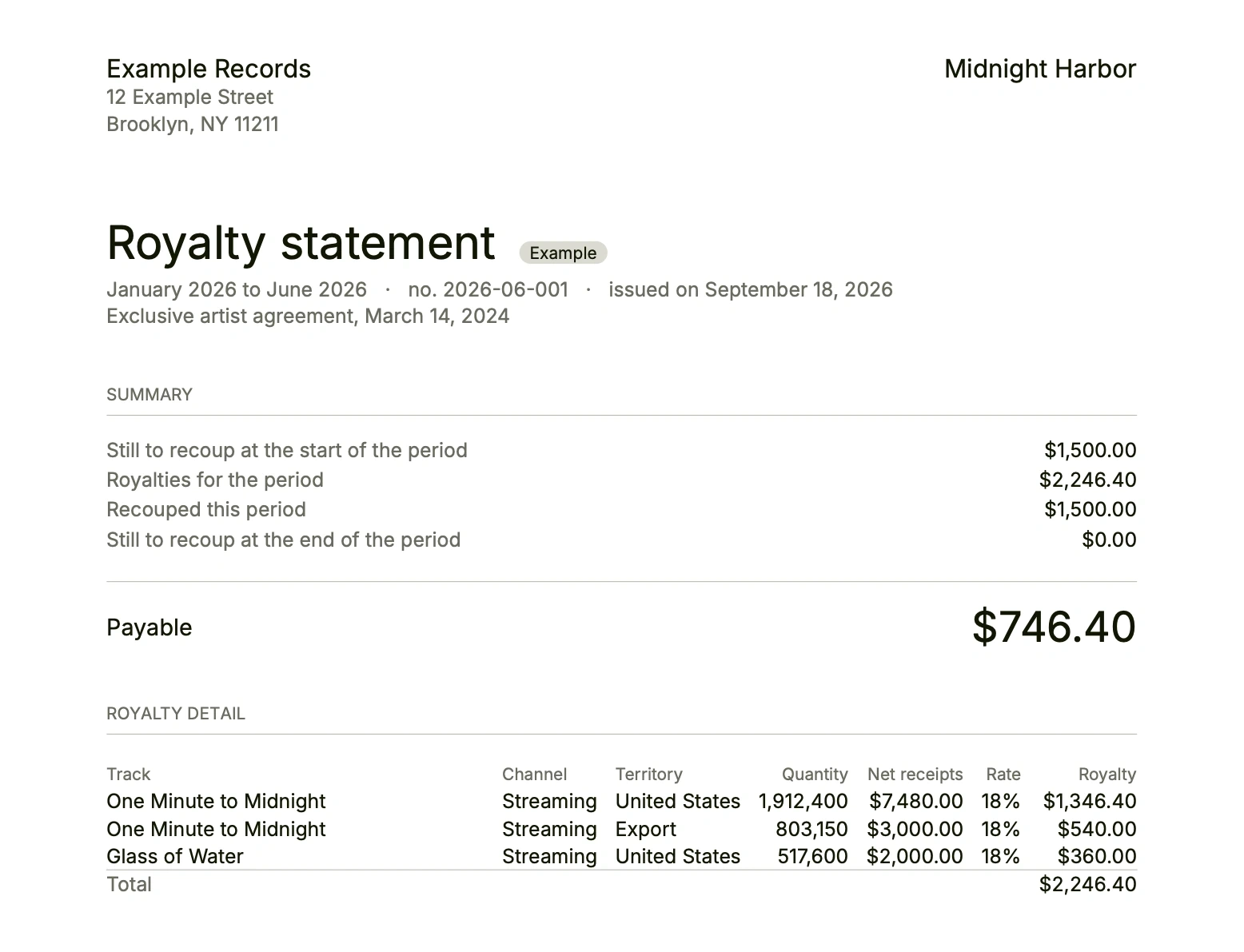
On an issued statement's page, or on its row in the Archive, Audit pack saves one ZIP file to the folder you pick. It holds the statement as a PDF with the calculation's data, the report rows behind every figure, the contract's terms with the sentences the AI read them from, the recouped costs with their invoices, and that artist's change history.
When an artist's auditor or accountant asks for the documents behind a statement, this is the file to hand over. In France, it holds the supporting documents that article L. 212-15 of the Intellectual Property Code requires for the artist's accountant.
- The statement as PDF/A, with its fingerprint
- The report rows behind every figure
- The contract's sentences, the invoices, the history
What never moves
Figures nobody rewrites
An issued period is locked
Once issued, a statement never changes. A correction is a new version beside it, the old one kept and marked as replaced; if later statements are already issued, the difference goes on the artist's next statement.
A signed history
In Settings, Change history shows everything done in the label, by whom, on which computer and when, as the signed log keeps it. Nothing is erased.
Reports stay in place
A report used by an issued statement stays in place. Removing another report takes it out of the calculations without erasing it: it stays on record.
Your accountant
A role per computer, and read-only for the accountant
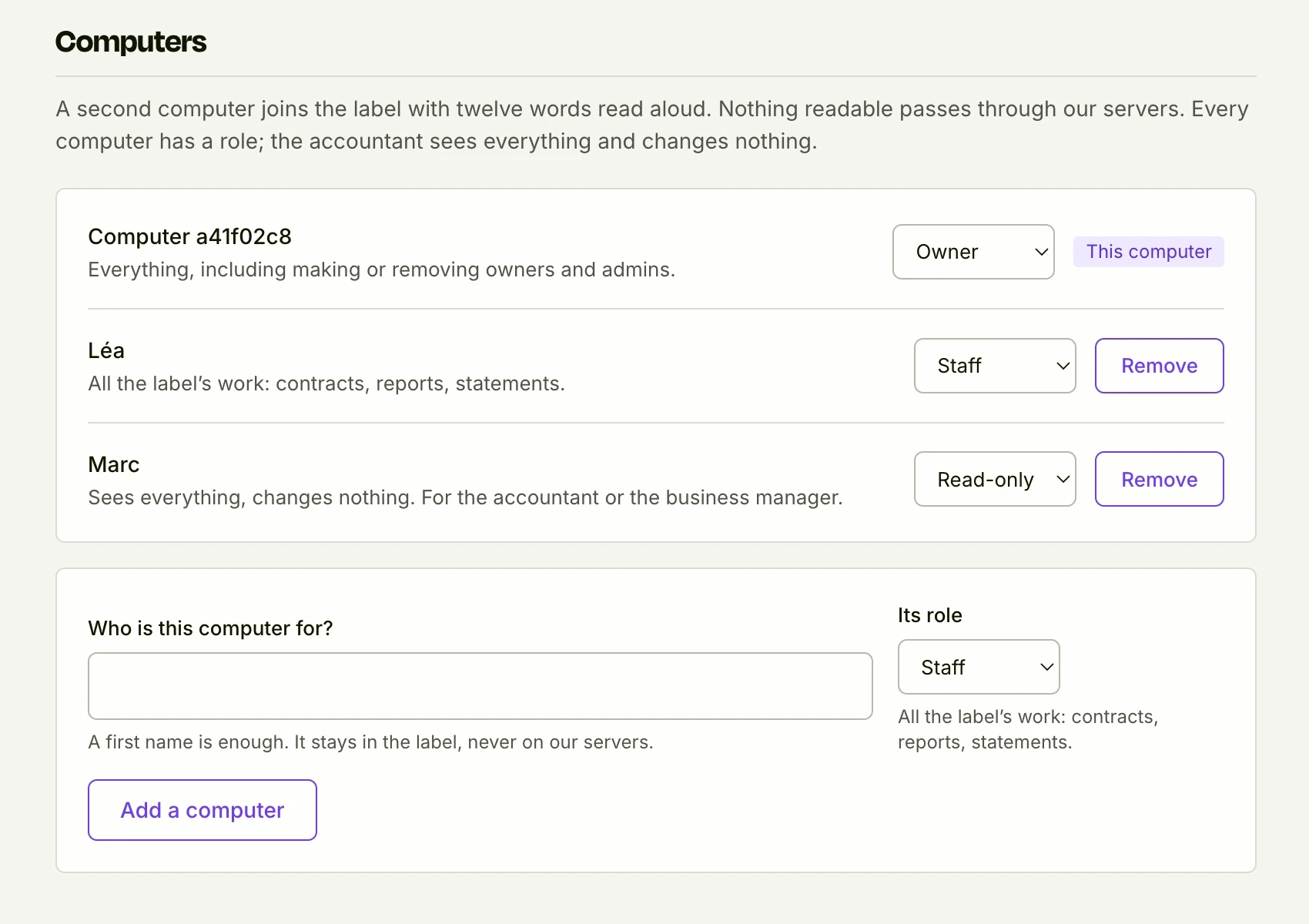
Every computer that joins the label gets a role, chosen in Settings, under Computers. An owner or an admin can change it at any time.
Owner
Everything, including making or removing owners and admins.
Admin
All the label's work, adding and removing computers.
Staff
All the label's work: contracts, reports, statements.
Read-only
Sees everything, changes nothing. For the accountant or the business manager.
For your partners, and for leaving
The year report, and everything exported
The year report
In the Archive, a year on one page: net receipts, royalties earned, what was recouped and paid to artists, the top earners, the contracts and options in the next twelve months. Open the PDF report turns it into a PDF/A to hand to a partner.
Export everything
In Settings, Export everything writes to a folder every table as CSV, every statement as PDF/A, every report and document as it arrived, and the signed history. Your data is yours, with or without Labelmate.
Your past statements too
The statements made before Labelmate, brought in during onboarding, join the Archive: the balances and the year report count them.
The limits
What Labelmate does not do for you
It does not judge your contracts
Labelmate shows where every figure comes from. It does not say whether a contract is good, and replaces neither a lawyer nor an accountant.
A sentence only if the AI read it
The pack quotes the contract sentence behind a rate or an advance when the AI read it. Terms typed in by hand appear without a sentence.
Roles by computer
A role belongs to a computer, not a person. A read-only computer keeps an encrypted copy of the whole label: give it to someone you trust.
Questions
Does the pack go to the auditor by itself?
No. Labelmate saves it to a folder on your computer; you send it on, however you choose.
Does our accountant's computer cost extra?
No. The price depends on the artists you pay, and every plan includes all your computers: your accountant's joins the label with twelve words, in read-only.
What about a year with no statement issued?
The year report says so: until a statement is issued or brought in for a year, it has no figures to show yet.
The other features
The artist portal
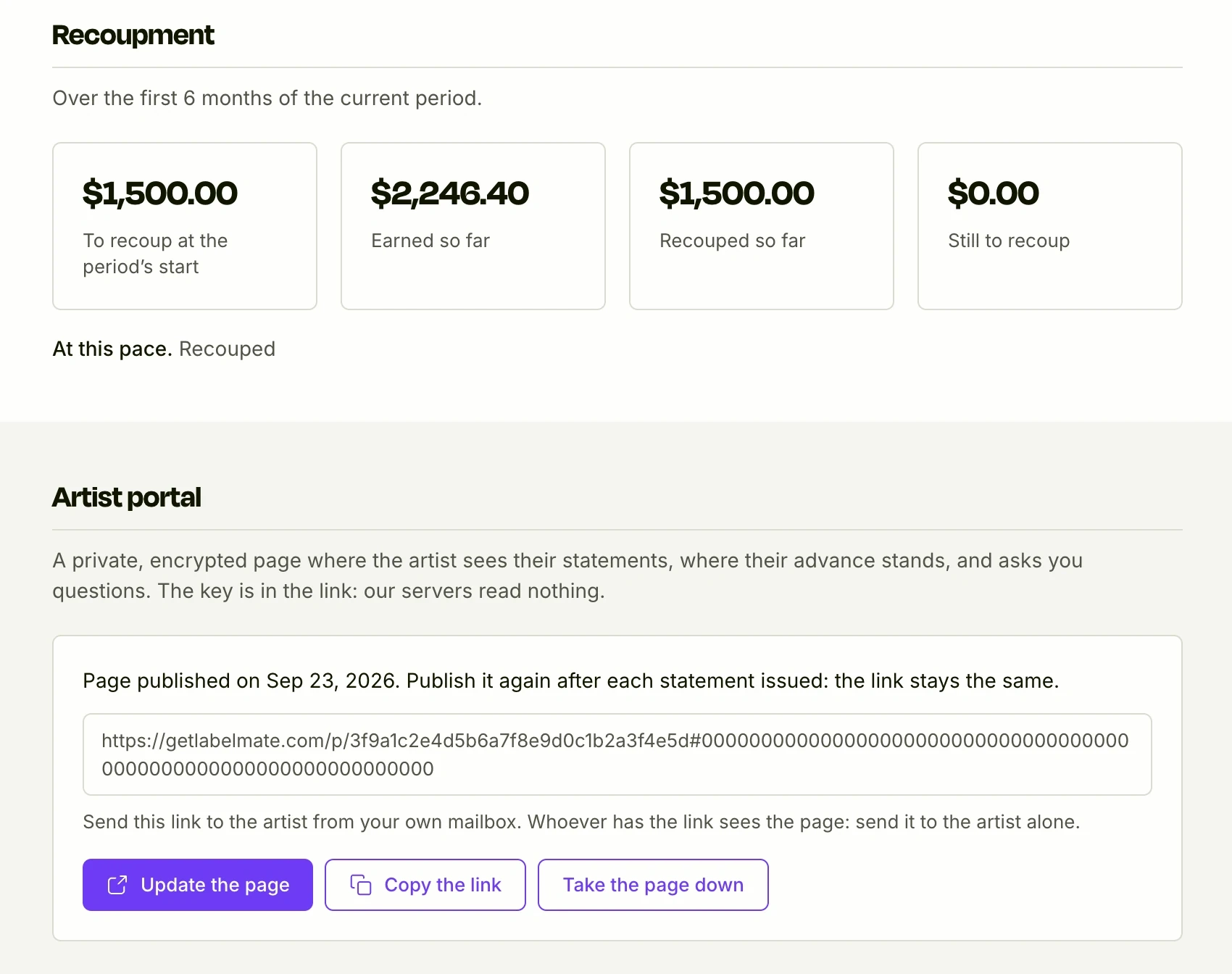
A private, encrypted page per artist: their statements, their advance, their questions.
See it in detail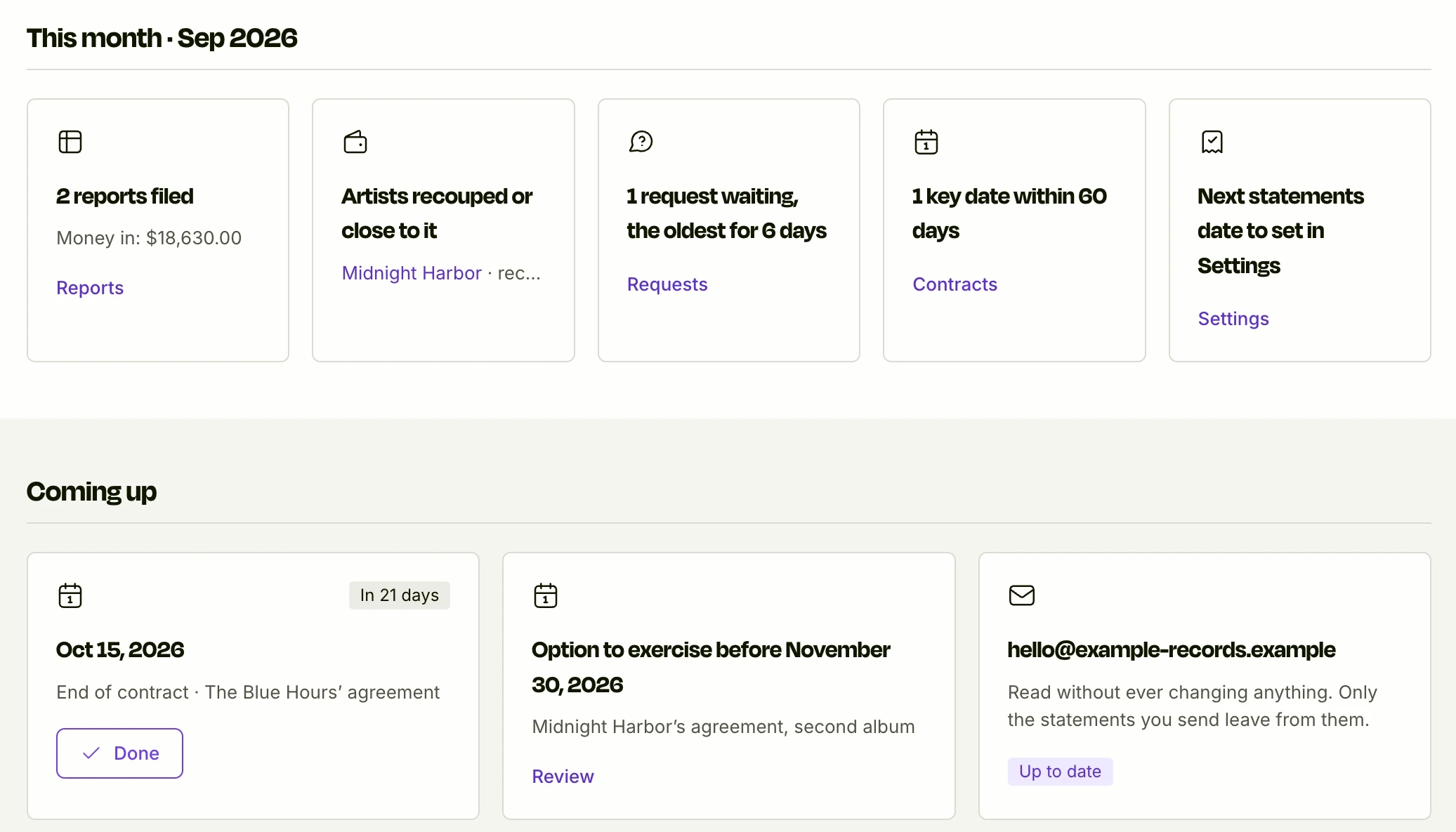
Always up to date
This month, requests, key dates and where every advance stands, between statements.
See it in detail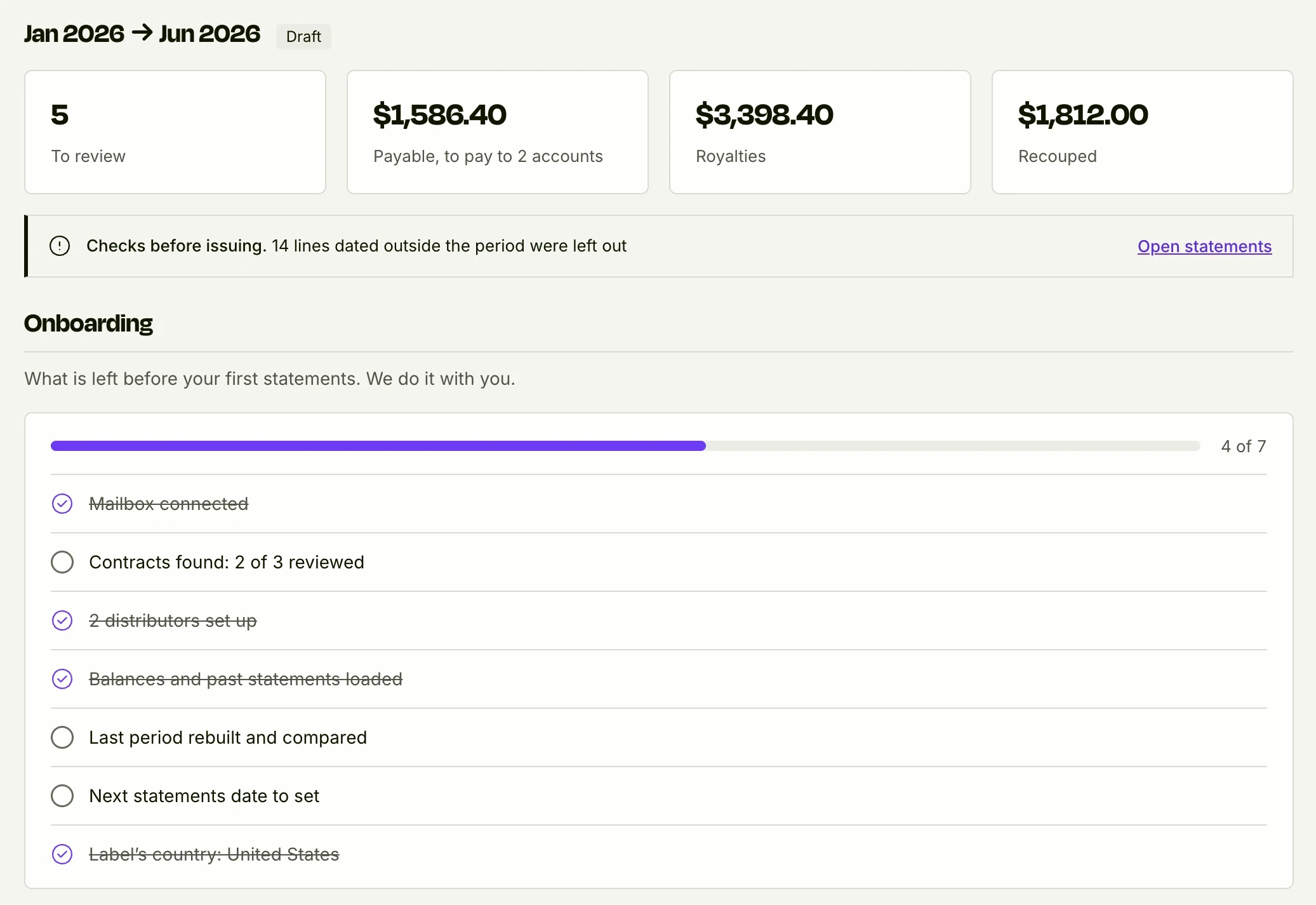
Onboarding, done with you
Your past statements brought in, your last period rebuilt and compared to the cent, before you pay.
See it in detail
See it on your own figures
We show you Labelmate with your contracts and your reports, found in your own inbox. The first 10 labels get 50% off year one.
Apply for access