
Between statements, you know where every artist stands
Statements come twice a year, but everything happens in between: a report arrives, a manager waits for an answer, an option comes due, an advance gets paid back. Labelmate shows it on Home, and your computer tells you.
This month
The month so far, on Home
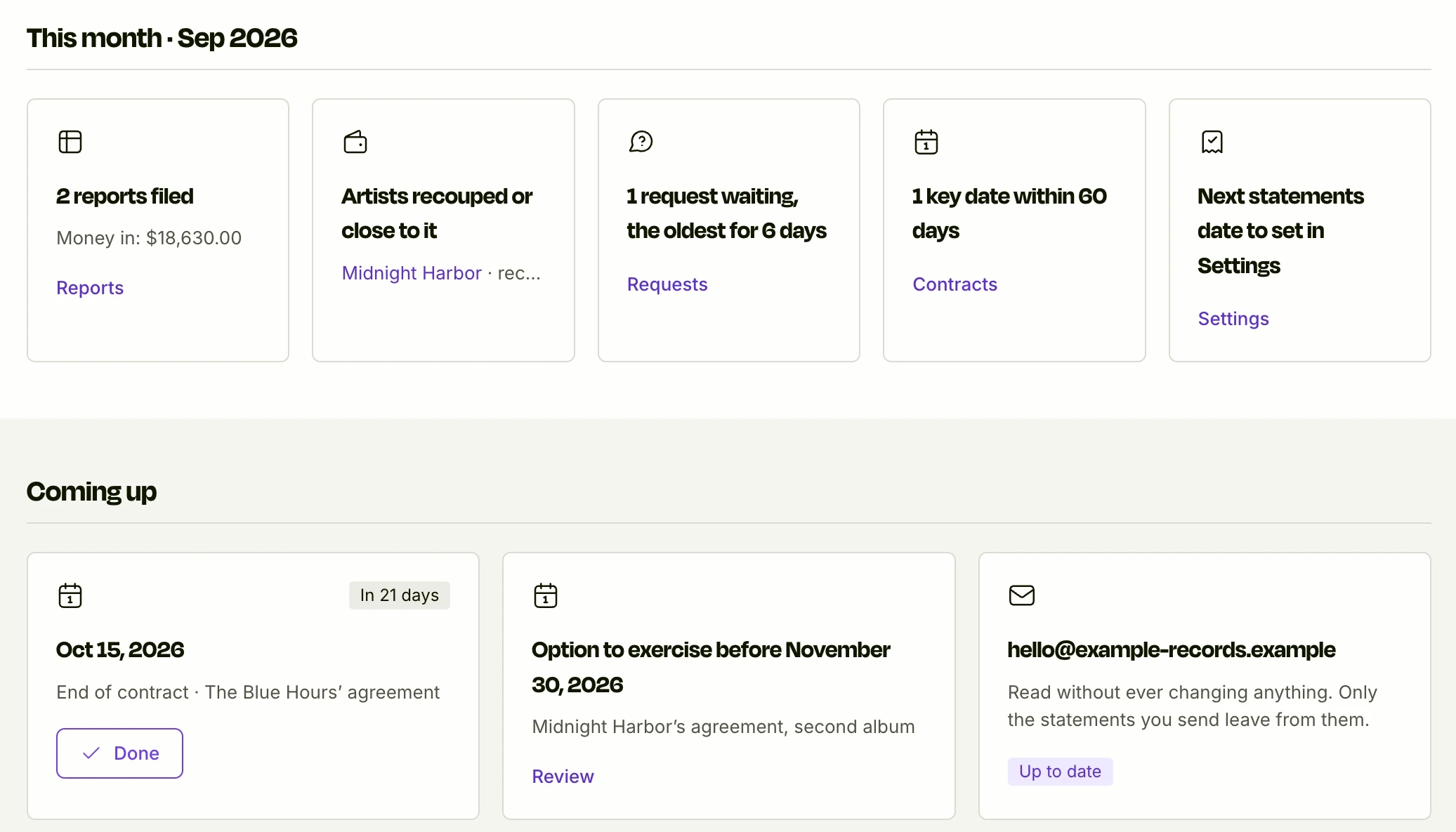
On Home, the “This month” band sums up the month, each card with a link to the screen where you act on it.
Reports filed
The distributor reports filed this month, and the money they brought in.
Artists recouped or close to it
Those who recouped their advance this period, and those who will soon, at the current pace.
Requests waiting
How many people are waiting on you, and for how many days the oldest has waited.
Key dates and next statements
Your contracts' key dates within 60 days, and the countdown to your next statements.
Requests
Who is waiting on you, and since when
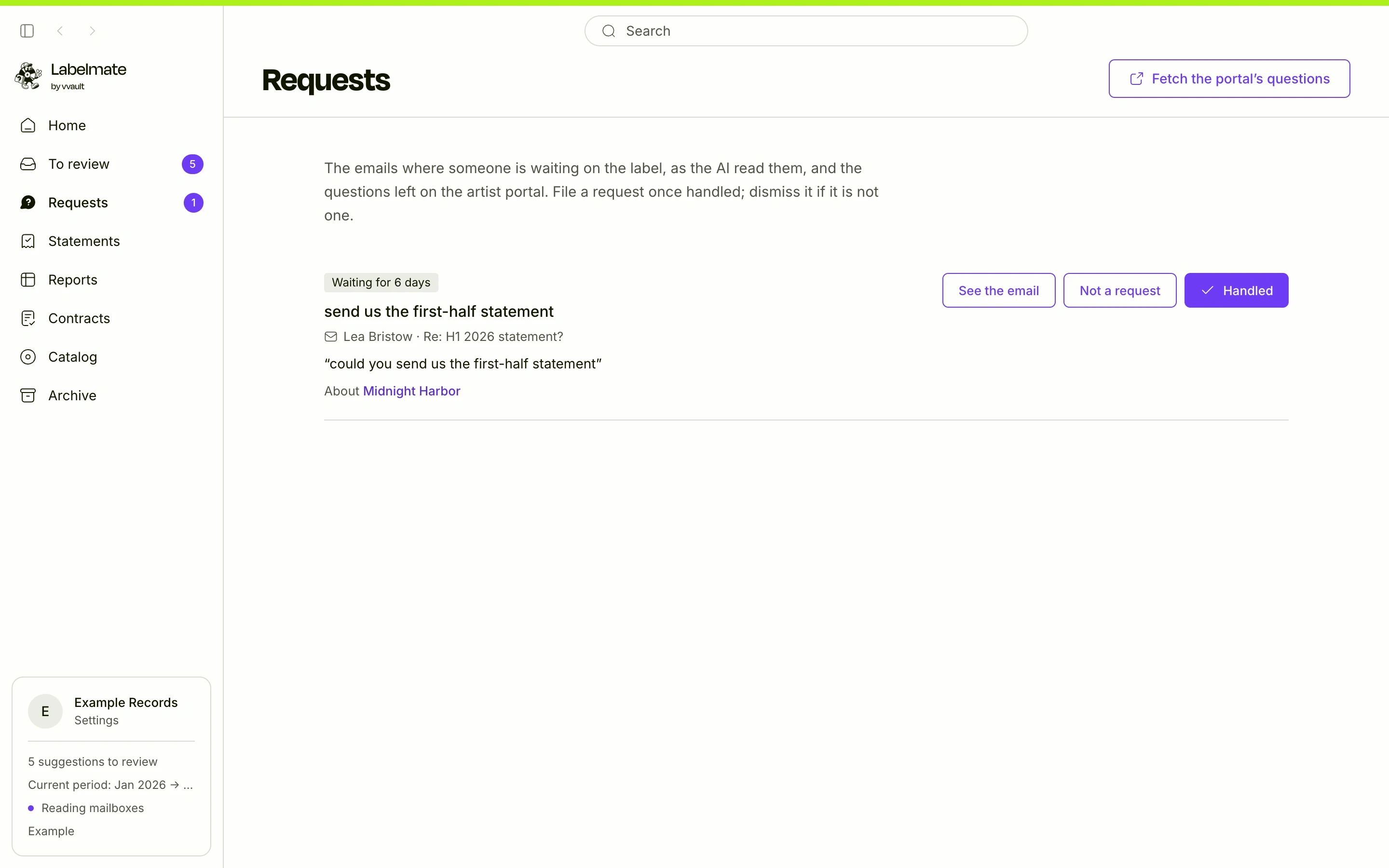
With the AI on, it reads once each email Labelmate keeps, and spots the ones where someone is waiting on the label: a manager asking for a statement, an artist asking for a figure.
The Requests screen lists them, oldest first: how many days each has waited, what is asked in the email's own words, the date if one is written, and the artist it seems to be about. Handled or Not a request files it. Questions from the artist portal land here too.
- Oldest first
- The request in the email's own words
- Filed in one click
Key dates
A key date read in a contract, reminded three times
- 1
The AI reads it
An option to exercise, an end of contract: when the AI reads a contract, each deadline written with its date arrives in To review, with the sentence it came from.
- 2
You add it
Add to key dates saves it, and settles the suggestion at the same time.
- 3
It comes back in time
It shows under Coming up, on Home, 60 days ahead, then at 30 and 7 days, soonest first.
- 4
You mark it done
Done takes it off Home.
Notifications
Your computer tells you, not our servers
On Mac and Windows, while the app is open, Labelmate shows a notification for a key date at each of its reminders, someone waiting on you, a report that arrived, an artist who recouped their advance, and your next statements, a month ahead and then in the month.
Each notification shows once per computer. The computer sends them to itself: nothing comes from our servers, which never see your data. The Notifications on this computer switch, in Settings, turns them off; on a Mac, macOS asks you once to allow them.
Where every advance stands
Recoupment, followed report by report
In Contracts, every artist whose advance is not recouped has an estimate: recoups in about so many months, at this pace, the current period's.
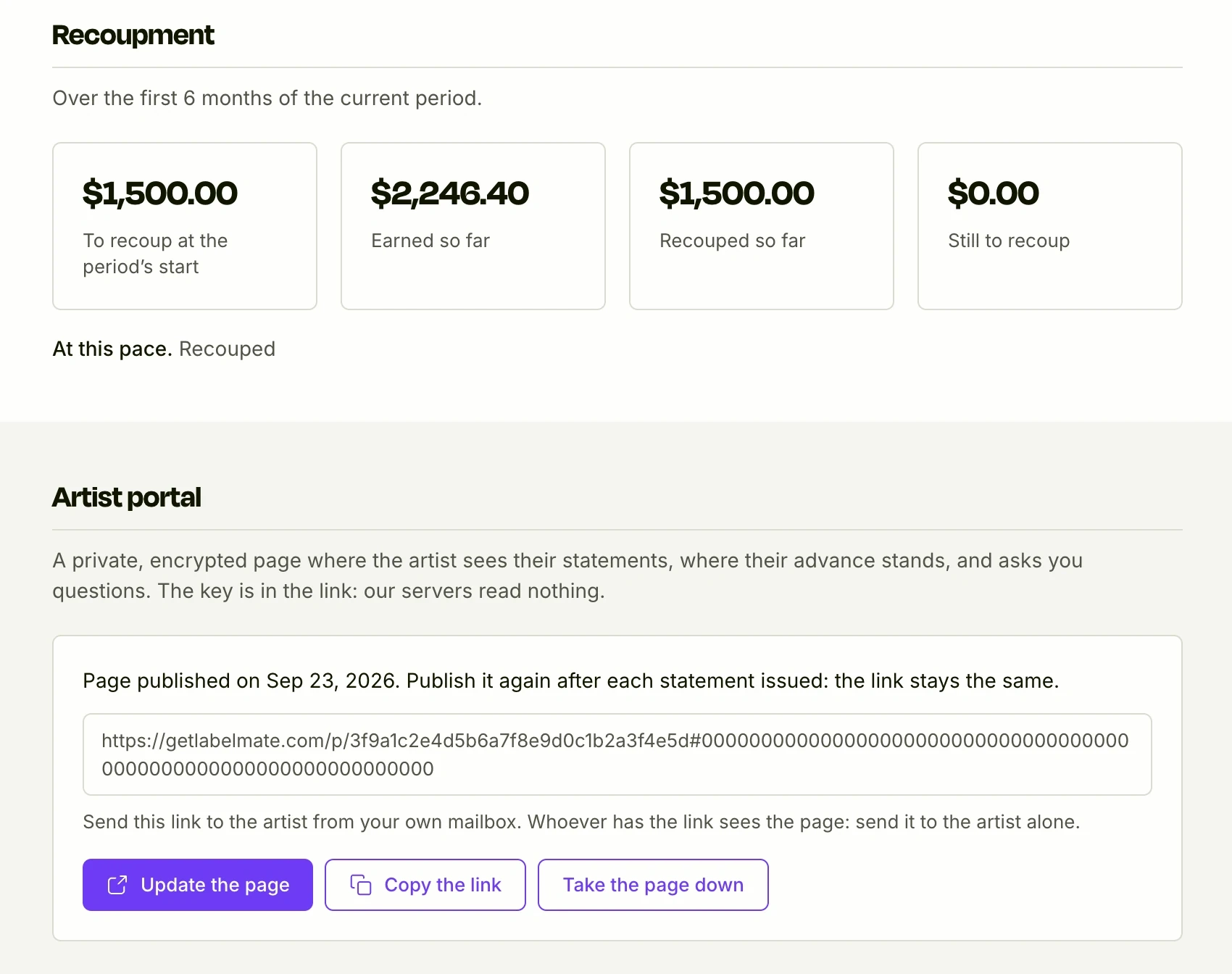
On a contract's page, the Recoupment section shows what was left to recoup at the period's start, what the artist earned and what was recouped since, what remains, and where that leads at this pace. An estimate, shown as one, that follows the reports you import.
- To recoup at the period's start
- Earned and recouped so far
- An estimate at the current pace
The limits
What is not automatic yet
Reports are filed on your click
A report that arrives by email is spotted on its own, but you are the one who imports it, from To review. Automatic filing does not exist yet.
No drafted replies yet
Labelmate lists who is waiting on you, but drafts no reply yet: you answer from your mailbox, as you do today.
Email requests and key dates need the AI
Without the AI, emails are not read for Requests: only artist portal questions land there, and key dates are not read from contracts. The “This month” band and the recoupment tracker don't need it.
No weekly summary
Home shows the current month; a weekly summary does not exist yet.
Questions
Do notifications go through your servers?
No. The computer sends them to itself, from what it already holds: nothing comes from our servers.
Does Labelmate have to stay open?
To read new mail and show notifications, yes. Once closed, it picks up reading the mailbox where it left off, the next time it opens.
Does the AI answer for me?
No. It spots who is waiting on you; it answers nobody and sends nothing.
Go further
Understanding advances and recoupmentThe other features
Onboarding, done with you
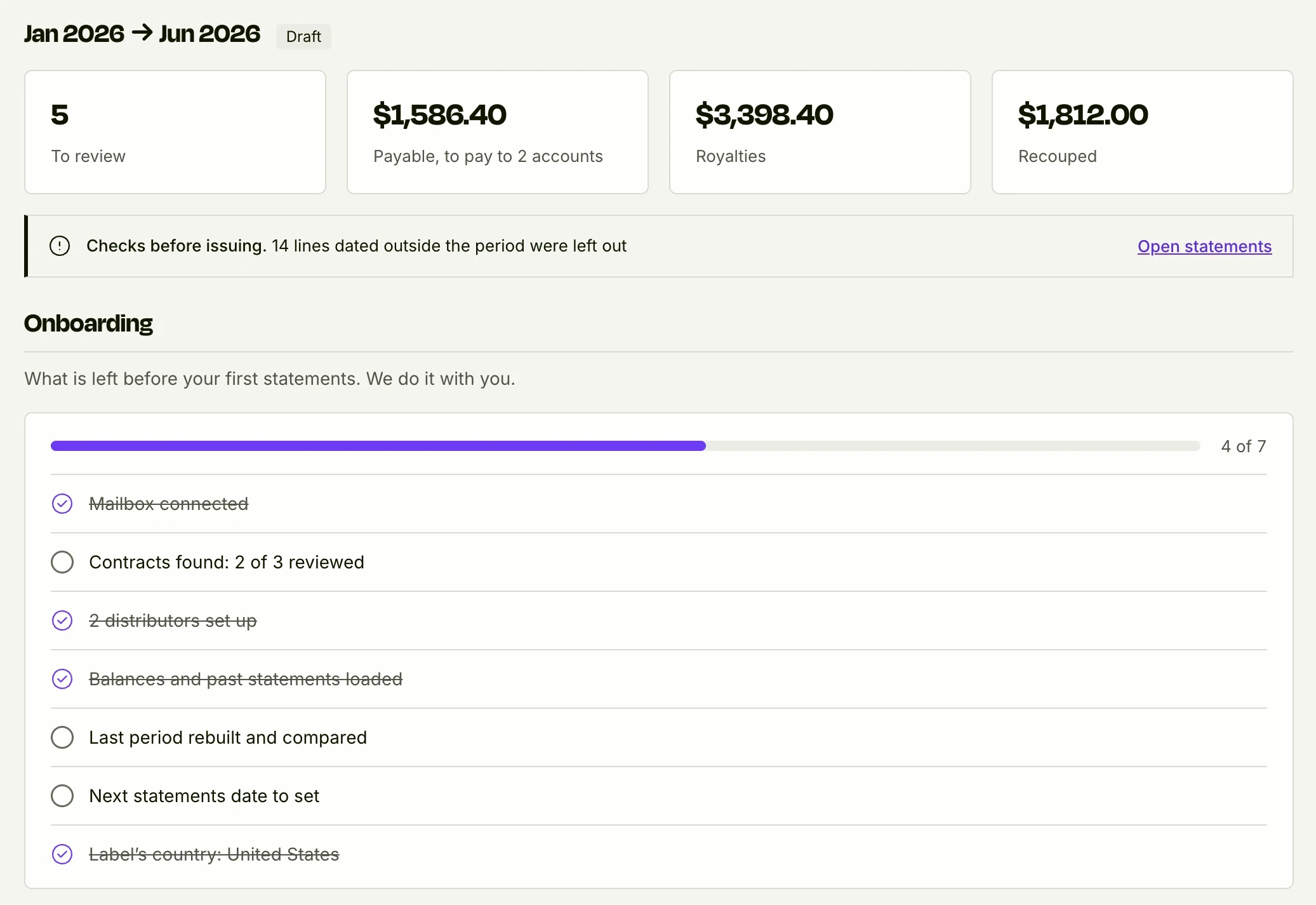
Your past statements brought in, your last period rebuilt and compared to the cent, before you pay.
See it in detail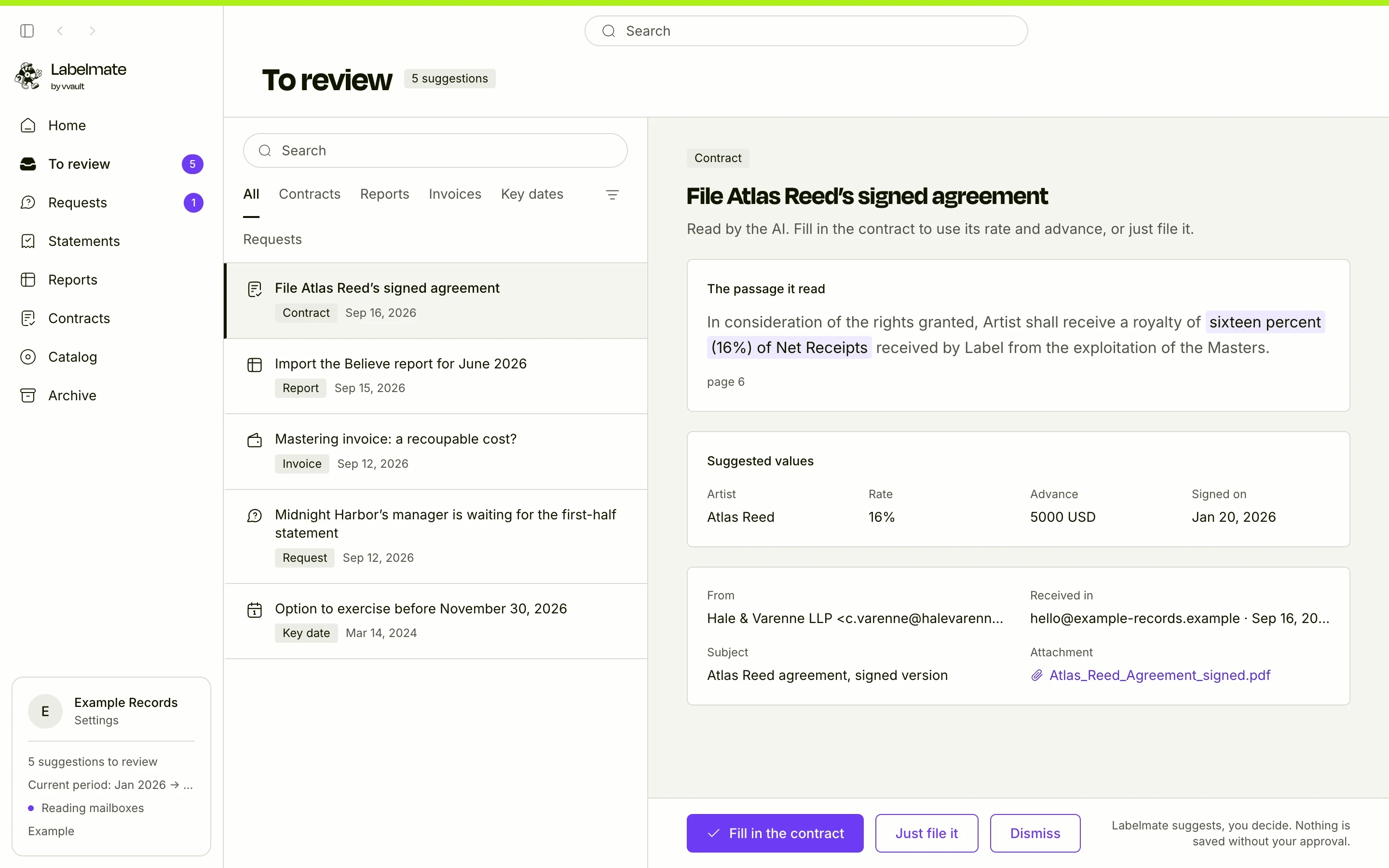
Your mailbox, read for you
Contracts, reports and invoices found in your email, read-only.
See it in detail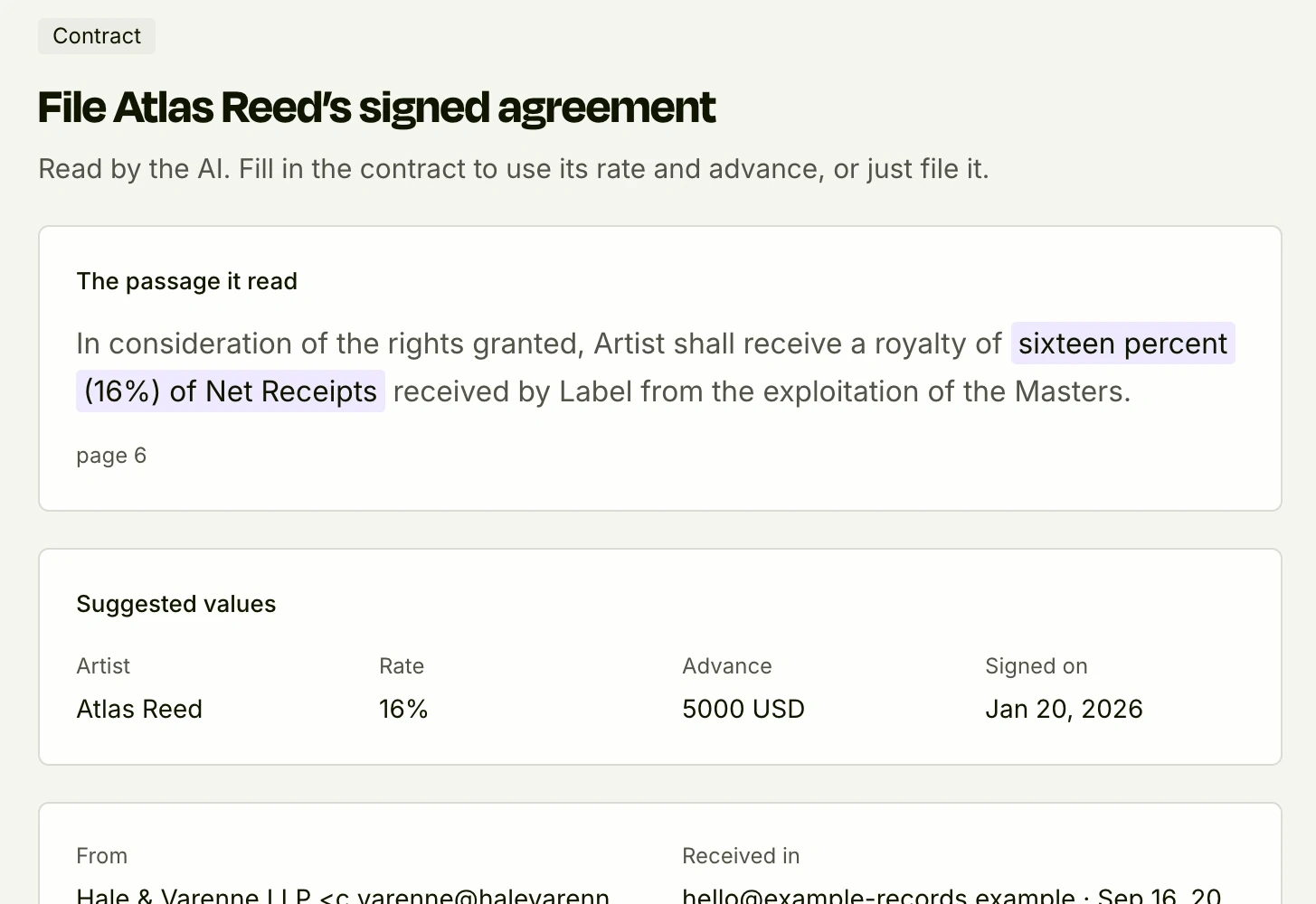
The AI reads, you approve
Rate, advance and amounts suggested from your contracts and invoices, with the passage quoted.
See it in detail
See it on your own figures
We show you Labelmate with your contracts and your reports, found in your own inbox. The first 10 labels get 50% off year one.
Apply for access