
The AI reads your contracts, you stay in charge
Finding an artist's rate on page six of a contract, or the amount on a mastering invoice, takes time. If you switch it on, Labelmate's AI reads these documents, suggests the values and shows you the exact sentence it read. You accept or dismiss.
What it suggests
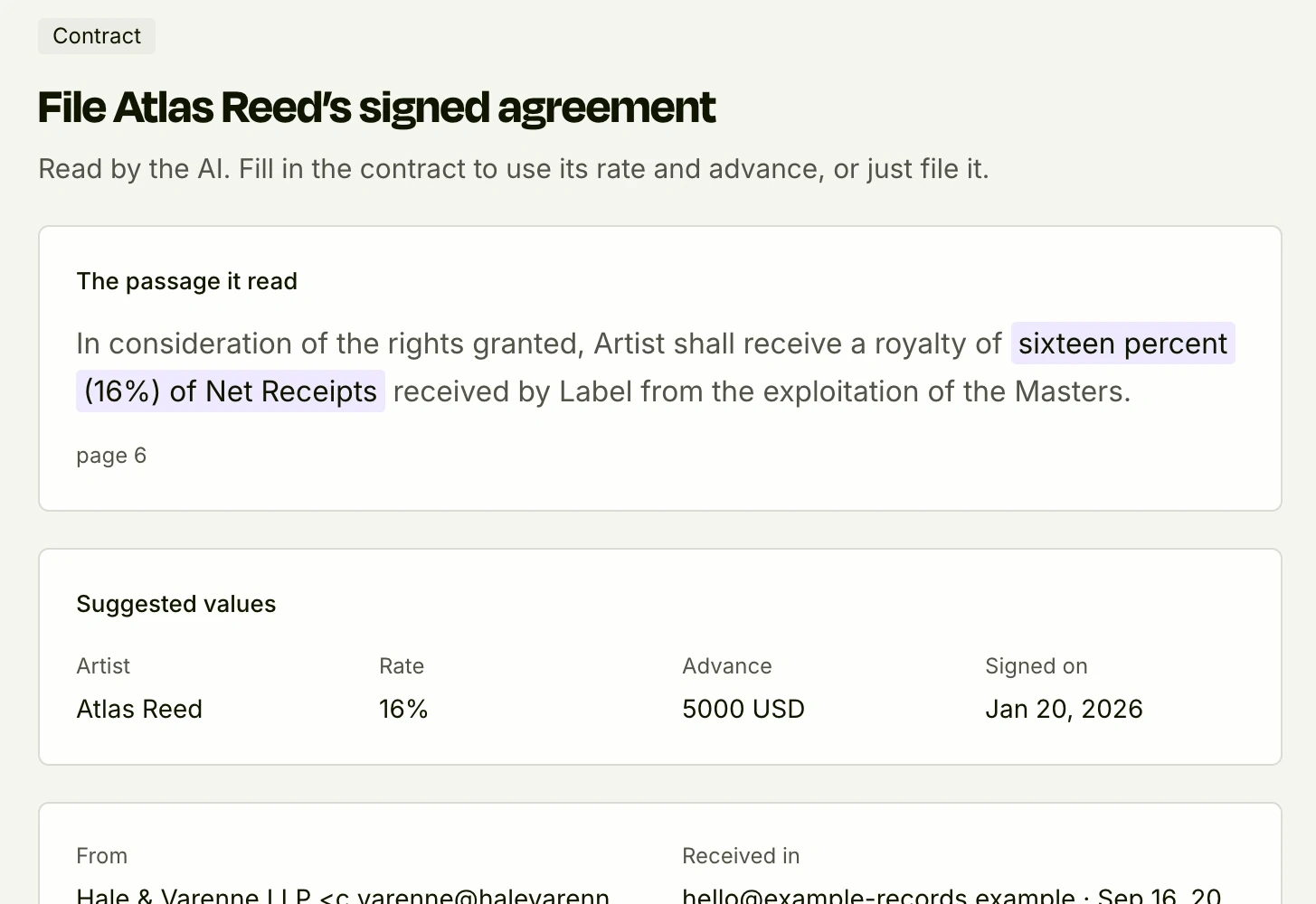
The passage it read, highlighted, with its page
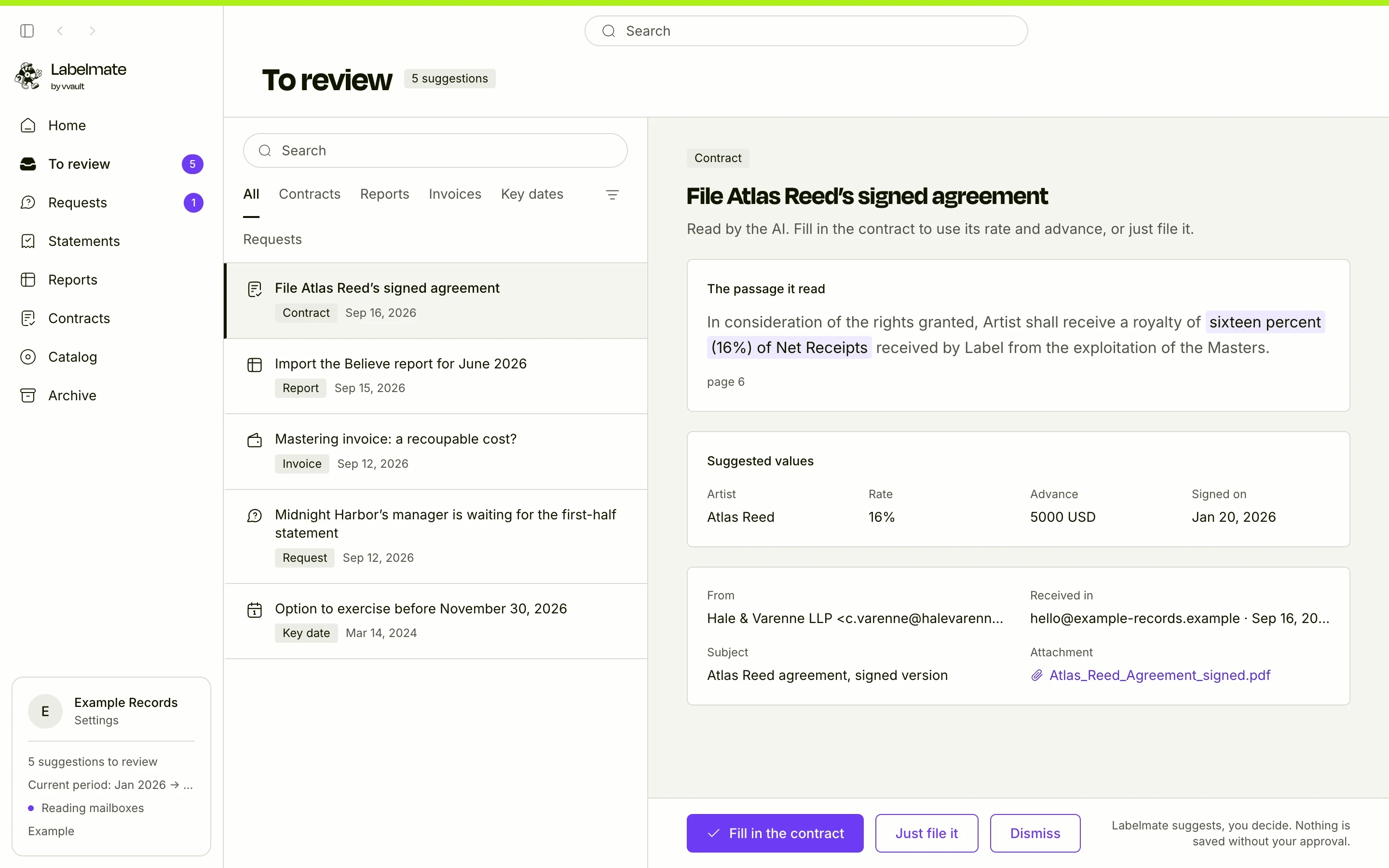
For a contract, the AI suggests the artist, the rate, the advance and the signing date, and separately the key dates, such as an option to exercise. For an invoice, the supplier, the date and the amount.
Each suggestion shows the passage of the document it read, word for word, with the value highlighted and its page. Every value is checked against the document's text, and a contract's values go into the audit pack with their sentences. You judge the source, not a summary.
- The exact passage, with its page
- Every value checked against the document's text
- Nothing saved without your approval
Step by step
From a contract received to terms saved
- 1
The contract arrives
Labelmate spots it in the label's mailbox and extracts its text, on your computer.
- 2
Sensitive numbers are masked
IBANs, card and social security numbers are masked before anything is sent. Only the text goes, never the file or the mailbox.
- 3
Claude reads and suggests
Claude, Anthropic's AI model, reads the text and answers in a form fixed in advance. Labelmate checks every value against the document.
- 4
You decide
“Fill in the contract” opens the form, already filled in: you check, correct if needed, and save. Or you just file the document, or dismiss it.
The limits
The AI suggests, it never decides
It does not calculate
Statements are worked out by a tested engine, to the cent. The AI touches none of the figures.
It sends nothing
It replies to no one on your behalf and sends no email.
It changes nothing without you
A suggested value only exists once someone at the label accepts it. What you typed is never silently changed.
Questions
Do I have to use the AI?
No. It is off by default and switched on mailbox by mailbox. Without it, distributor reports are still recognized, and you type a contract's terms or an invoice's amount yourself.
Do I need an account with Anthropic?
No. Labelmate provides the AI: the app calls Claude directly, with Labelmate's key. How many documents it reads each month depends on your plan.
Does Anthropic train its models on my contracts?
No. Anthropic's commercial terms rule out using this data to train its models.
Go further
All about the AI in LabelmateThe other features
The math, to the cent
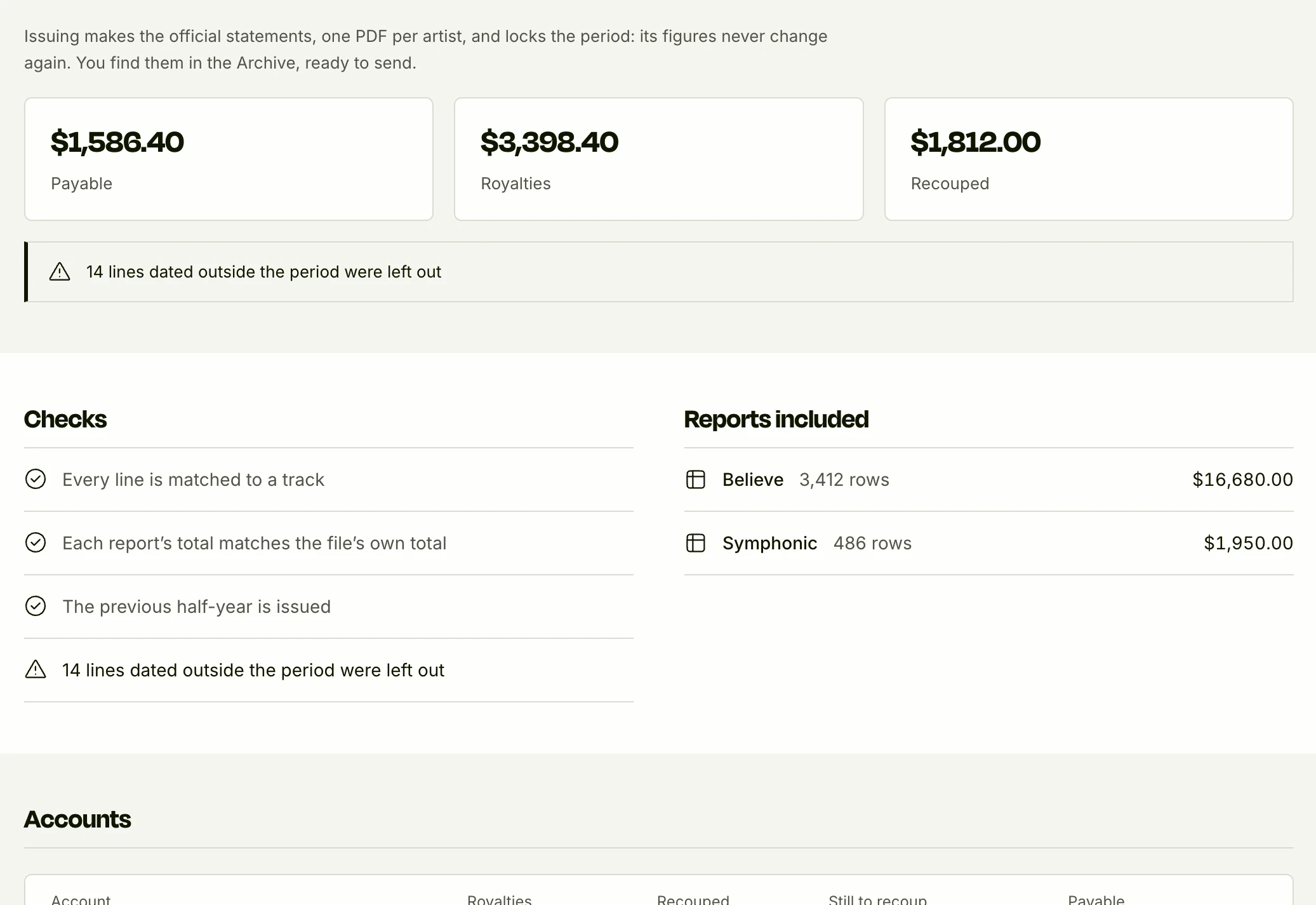
A tested engine does the math, never the AI. Every figure points to its report lines.
See it in detail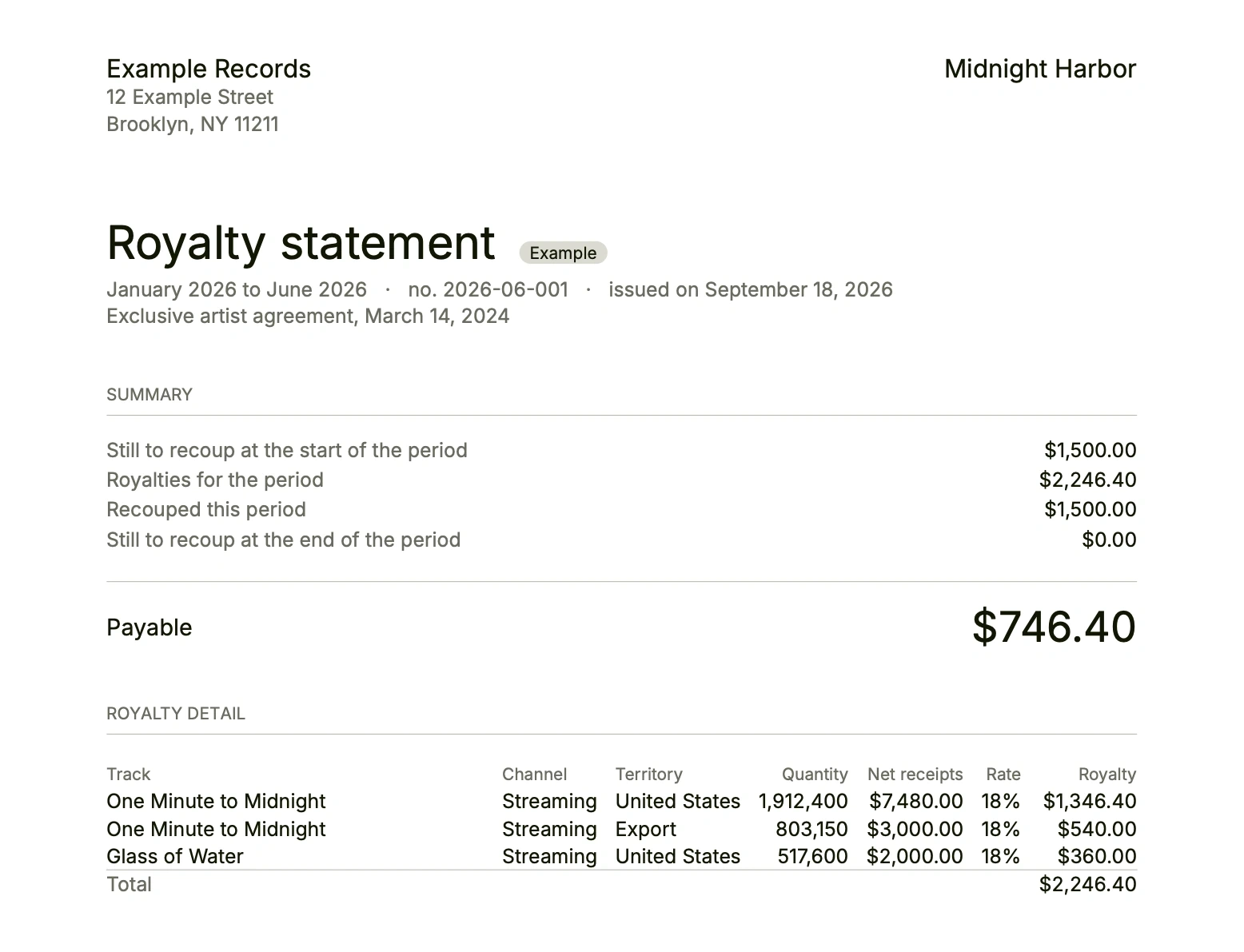
Statements your artists can check
One PDF per artist, the line-by-line detail, sent from your mailbox.
See it in detail
Audit-ready
Every statement's audit pack, a signed history, and your accountant in read-only.
See it in detail
See it on your own figures
We show you Labelmate with your contracts and your reports, found in your own inbox. The first 10 labels get 50% off year one.
Apply for access